Less manual work in delivery

Bring order to last-mile delivery

Orders get lost in chats, routes are drawn by hand, part of the goods comes back after fitting, and courier pay is estimated by eye. We put it all into one flow: routes and free orders, partial buyouts, statuses and transparent payouts.

Multiple workspacesScheduled routesFree poolPartial buyoutOffline app
Shift is open
Free pool: 3

Courier's route for today

1
Order A-1042
Delivered · partial buyout
2
Order A-1043
Delivered · full buyout
3
Order A-1044
On the way · next stop
⚡
Free order
A courier may take it from the pool
−18% distance thanks to stop order

What we fix

Not features for their own sake — the things that stop hurting every day.

📦

“Where is this order now?”

One list with statuses: on the way, delivered, returned. Orders no longer get lost between chats and spreadsheets.

🗺

Routes are not assembled by hand

Build a route for a date and set the stop order. The courier sees the next stop, not the whole list.

⚡

An urgent order does not get stuck

An express order goes to the free pool — a courier nearby takes it without phone calls.

🛍

Partial buyouts do not break the books

Refusals and extra payments are handled on the spot; the amount and the courier pay are recalculated at once.

📱

No signal — work continues

Offline mode: pickup and handover are stored on the phone and sent when the network returns.

👥

No manual search for couriers

Recruiting through a form on the company website and invites with the right permissions — access is granted immediately.

Dispatcher workplace

One screen instead of five tabs

Day, map, routes, couriers and money together. Below are real cabinet screens, not mock-ups of what might be.

01

Working day

Date, company time zone and the state of the day in one place: active orders, free pool, couriers on shift, violations and payouts. What needs attention comes first.

  • Shift and free pool — who can take more right now
  • Day event feed: who did what and when
  • Plan the day and create a route side by side
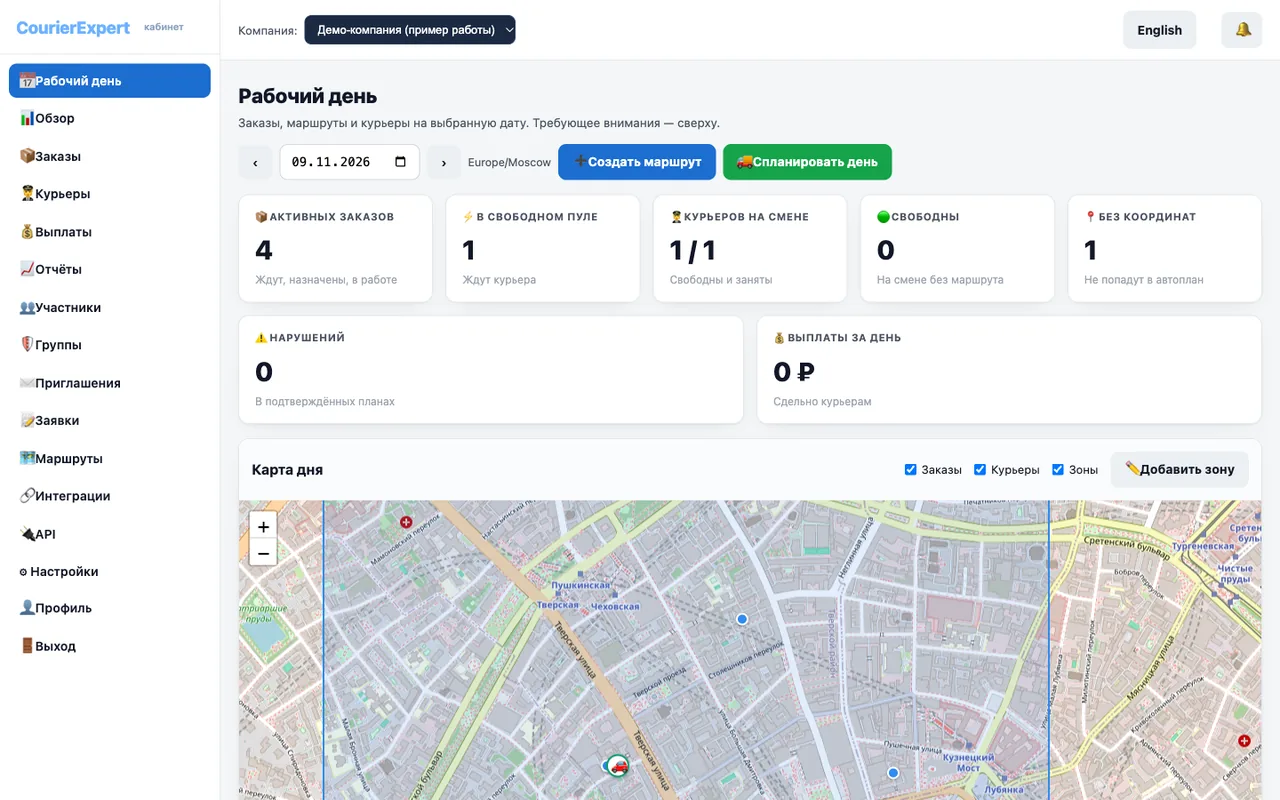
Working day screen: day metrics and the city map with orders
02

Map and zones

Order points, couriers and service zones on one map. Tiles come from our own cached tile service, so the map does not depend on third-party servers.

  • Zones are drawn on the map and stored as polygons
  • An order falls into a zone by its coordinates
  • The map requests only the visible area, not the whole base
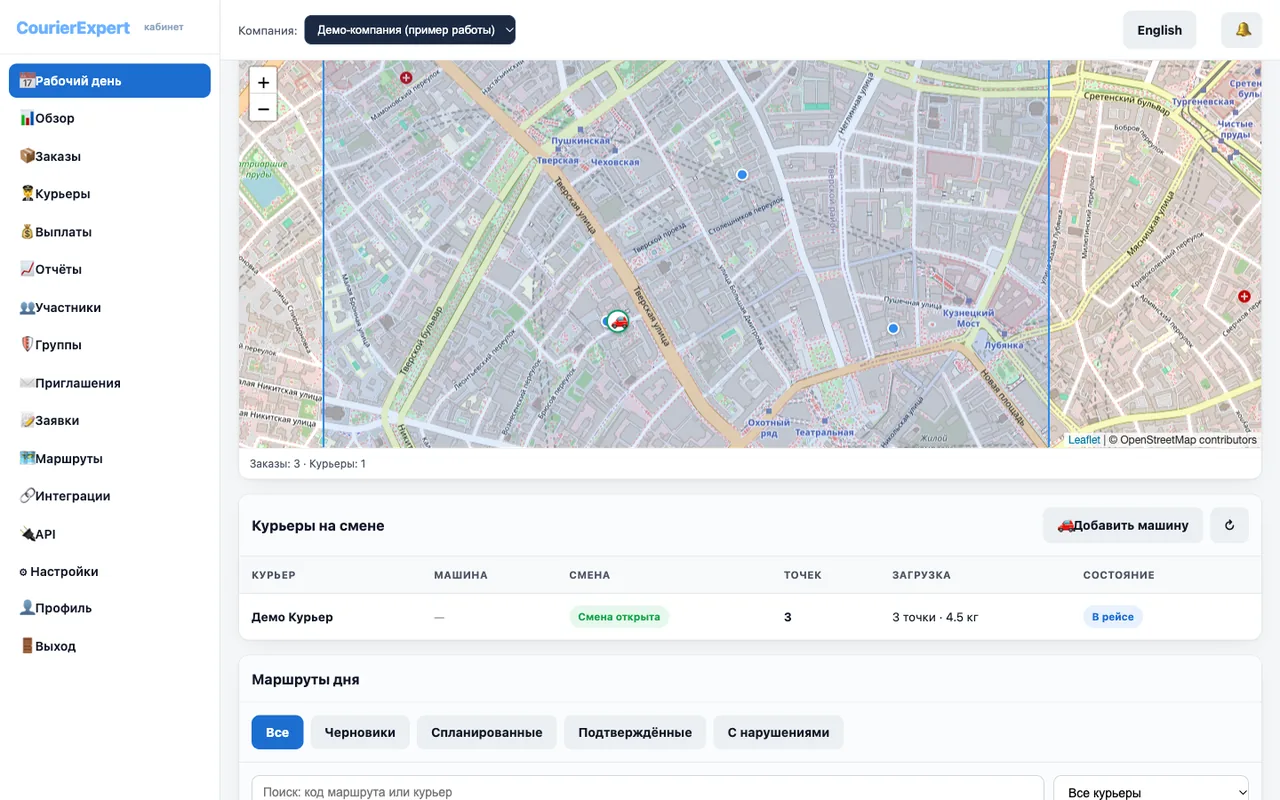
Day map with orders and a courier, plus the couriers on shift board
03

Route and stop order

Stop order is computed by distance, early windows go first, and the estimate shows arrival time and marks itself as an estimate. Confirmation locks both the plan and its violations.

  • Drag stops and recalculate in one click
  • Delivery windows: a missed window is visible before departure
  • Print the route sheet and invoices for the trip
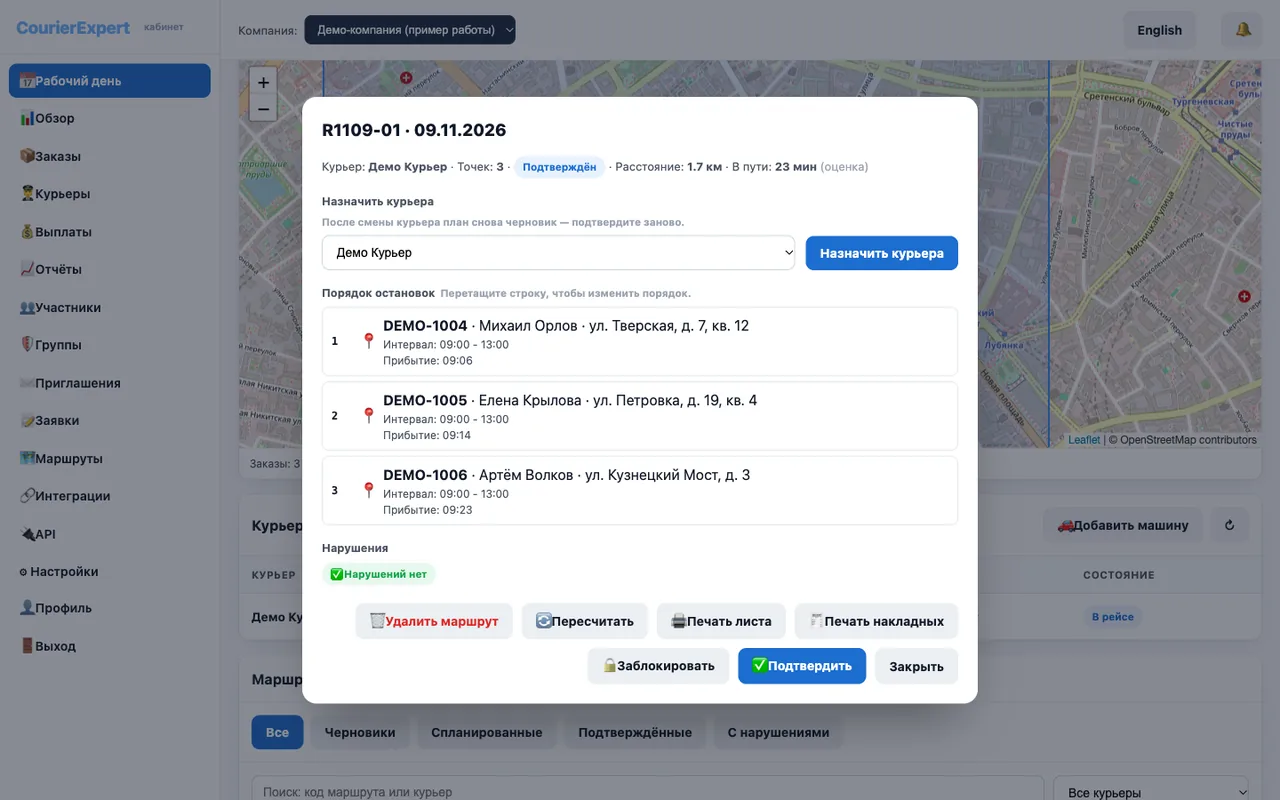
Route card: stops, arrival time and violations
04

Reports and money

Totals for a day or a period: delivered, refusals, distance, payouts, cash and card — per courier and for the company.

  • Print a sheet and export CSV for Excel
  • Violation summary from the saved plans
  • No invented data: what is missing stays zero
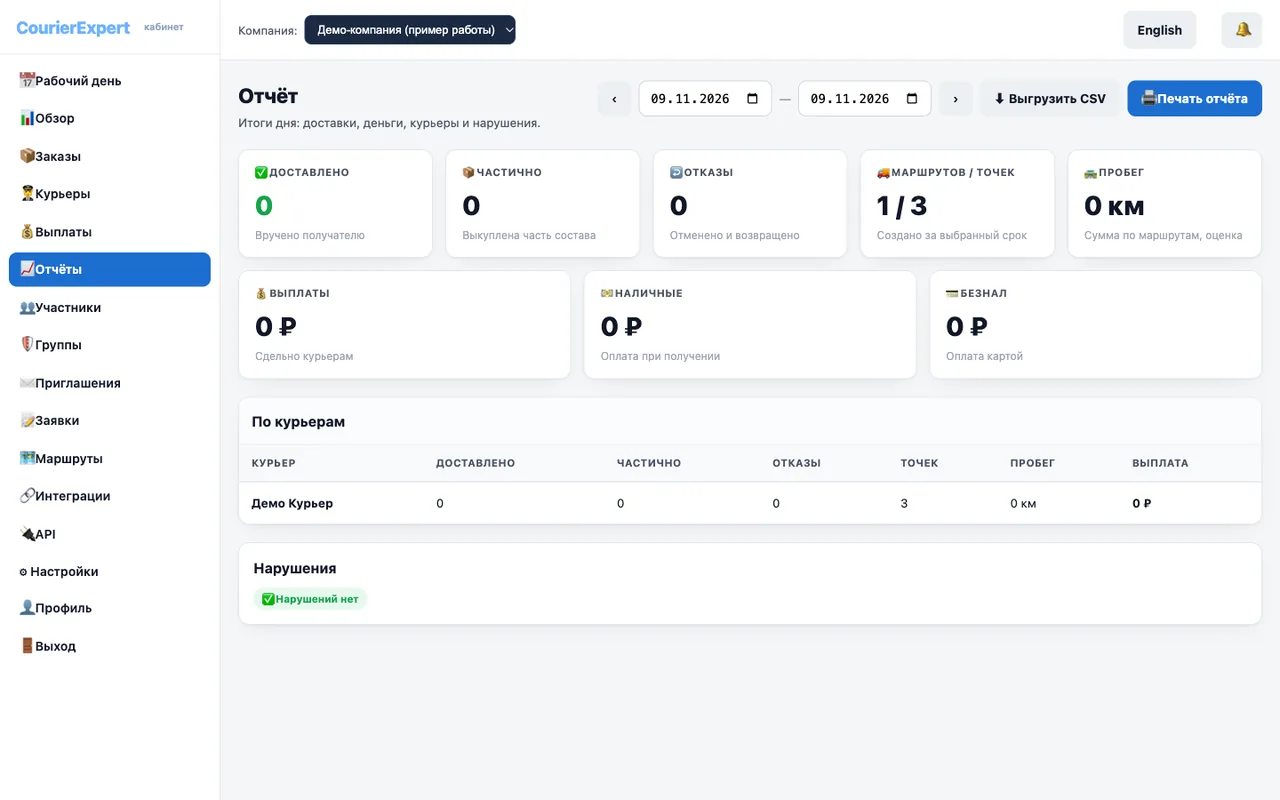
Period report: day metrics and the table by courier

Clear order groups

The courier always sees what is expected right now, without extra steps.

⚡

Free

The order is not assigned yet: whoever takes it delivers it. A courier takes it from the free pool.

🚚

Route

Orders are loaded in advance and have a sequence. The courier follows the addresses and moves to the next one.

🔔

By notification

The order arrives as a personal offer — accepting it takes one tap.

📦

On board

Everything the courier has already taken: the order is picked up and on its way to the recipient.

How to start

Four steps from sign-up to the first deliveries.

1

Create a workspace

A shop or a courier service — no software to install.

2

Invite your team

An invite with the right permissions — and the person starts working.

3

Send orders

From your website and accounting over the API, or by hand: routes and the free pool.

4

Close the delivery

Handover, partial buyout and transparent payouts in one place.

Pricing

One price for the whole system

You pay for the system, not for every delivery. 500 orders are already included; anything beyond that is charged at a flat per-order rate.

10 000 ₽
per month
Create a workspace

What the price covers

  • 500 orders per month
  • Owner and dispatcher cabinet
  • Courier app with offline mode
  • Orders over an open REST API
  • Routes, the free pool and partial buyout
Beyond the package20 ₽for every order over 500 per month
An order means any order that passed through the system.

For an online shop

Orders from the website, retail points and accounting — in one flow. Returns and payouts no longer eat the day.

  • Orders over an open REST API
  • Warehouse routes and express delivery
  • Partial buyouts and returns on the spot
  • Courier pay at per-order rates

For a courier

Never lose addresses, see earnings for every delivery and work even without a network.

  • Route in order: only the next stop
  • Free orders from the pool nearby
  • Marking code scanner on pickup and handover
  • Earnings visible for every delivery
⬇ Download the courier app
Courier app

Download the courier app

Orders, offline mode, a marking scanner and shift earnings on the courier phone. Works on iPhone and Android.

The APK installs without a store: for terminals and work phones.

Recruit couriers right on your website

Place a “couriers wanted” form widget on your website. The request goes to the owner, and the candidate receives an invite link — automatically or after approval.

Couriers wanted
Fill in the form — we will send a link to connect
This is how the widget looks on a company website.

Sign up, create a workspace and try it free for a month

Sign in with a code from the email; the wizard sets up your company workspace in a couple of minutes. Next: couriers, orders and the first route.